How Legal Teams Are Using AI to Work Smarter and Faster
Artificial intelligence is transforming how legal teams manage research, documentation, and client service across law firms and in-house legal departments. As the volume of contracts, case files, compliance documentation, and regulatory requirements continues to grow, legal professionals are turning to secure AI-enabled tools to improve efficiency while maintaining strict confidentiality standards.
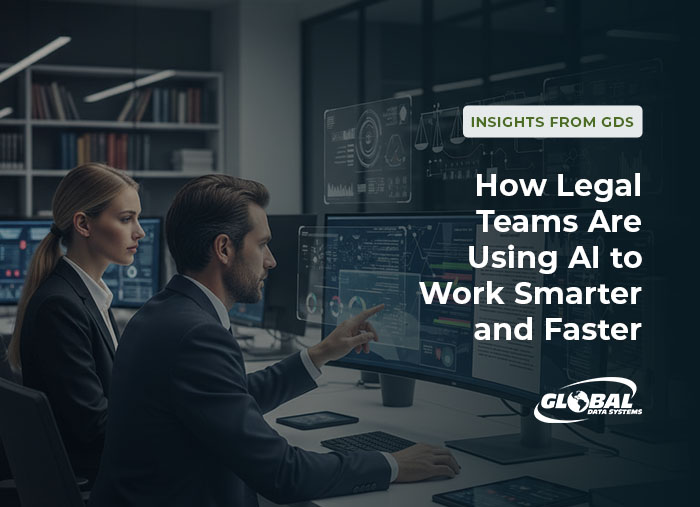
Organizations throughout Louisiana and the Gulf Coast region are adopting AI within secure Microsoft 365 environments to streamline administrative processes, reduce manual workloads, and improve the speed and accuracy of legal analysis. When implemented responsibly, AI allows attorneys and legal staff to focus more on strategic legal work rather than time-consuming operational tasks.
AI-Driven Document Review and Contract Analysis
One of the most impactful uses of AI in the legal profession is document review and contract analysis. Legal teams routinely manage thousands of agreements, discovery materials, compliance records, and case files that require detailed examination.
AI-powered tools can analyze large document sets to:
- Identify key contractual clauses
- Highlight potential legal or compliance risks
- Detect inconsistencies or missing provisions
- Surface relevant language across document libraries
This capability significantly reduces the time required for contract review while allowing attorneys to maintain full decision authority and oversight.
Faster Case Research and Legal Insights
Legal research traditionally requires reviewing extensive case law, statutes, and regulatory precedents. AI-assisted research tools can accelerate this process by analyzing large legal databases and identifying relevant citations, case similarities, and legal arguments in a fraction of the time.
With AI-enabled research capabilities, legal teams can:
- Locate relevant precedents faster
- Compare case similarities more efficiently
- Extract insights from large research datasets
- Spend more time developing legal strategy
This improves responsiveness to clients while strengthening the quality and consistency of legal analysis.
Drafting, Summarization, and Workflow Automation
AI tools are also improving internal legal workflows by assisting with document drafting, summarization, and knowledge management. Solutions such as Microsoft Copilot can help generate first-pass drafts, summarize meeting notes, and organize internal documentation within familiar Microsoft 365 applications.
Common legal AI applications include:
- Drafting routine correspondence and internal memos
- Summarizing contracts, depositions, and discovery materials
- Generating meeting summaries and research briefs
- Supporting internal documentation and knowledge sharing
These capabilities reduce administrative workload while allowing legal professionals to refine and finalize all client-facing content.
AI is enabling legal professionals to manage growing volumes of contracts, case files, and compliance documentation more efficiently while maintaining strict confidentiality and governance standards.
Strengthening Internal Legal Operations
Beyond research and drafting, AI can improve operational efficiency within legal departments by supporting document classification, task tracking, and workflow coordination.
Automation tools can:
- Route documents to appropriate reviewers
- Manage document version control
- Track deadlines and approvals
- Improve collaboration across legal teams
Improved workflow visibility enables legal departments to operate more efficiently while maintaining strong oversight and accountability.
Data Protection, Compliance, and Governance Remain Critical
Because legal teams manage privileged communications and highly sensitive client data, AI adoption must be supported by strong governance and security controls.
Organizations implementing AI within legal environments should ensure:
- Identity and access controls are properly configured
- Data classification and retention policies are enforced
- Monitoring and audit capabilities are in place
- AI usage policies align with regulatory requirements
A secure governance framework allows organizations to enhance productivity without introducing unnecessary compliance or data-security risk.
See how a secure Microsoft 365 environment can support responsible AI adoption for your legal team.
Contact Us >The Role of a Secure Microsoft 365 Environment
Many legal organizations rely on Microsoft 365 for collaboration, document management, and communication. AI tools such as Microsoft Copilot operate within this environment, making proper configuration and security management essential for responsible adoption.
A well-managed Microsoft 365 environment provides:
- Secure identity and authentication controls
- Data protection and retention policies
- Activity visibility and auditing capabilities
- Device and endpoint management
These capabilities create a secure foundation that allows legal teams to leverage AI responsibly while maintaining confidentiality and regulatory compliance.
Preparing Legal Teams for the Future of Work
AI is not replacing legal expertise. Instead, it is enabling legal professionals to work more efficiently, respond faster to client needs, and manage growing volumes of information with greater precision.
Law firms and legal departments that combine AI capabilities with strong governance, cybersecurity controls, and operational discipline are better positioned to deliver faster, higher-quality legal services in an increasingly data-driven environment.
Global Data Systems works with organizations across Louisiana and the Gulf Coast to design secure Microsoft 365 environments that support responsible AI adoption in regulated industries. Contact our team or schedule a consultation to learn how we can support your legal operations.
Benefits of Managed IT Services from Global Data Systems
- Strategic Managed IT: We help you solve your technology related business problems.
- Connectivity: We get you reliable, secure connectivity anywhere in the western hemisphere in 48 hours.
- Support: When you need help simply call our 24x7x365 support number.
- Billing: Instead of managing hundreds of vendors - get one, easy to read bill from GDS.
Contact Managed Services Provider, Global Data Systems >
Get In Touch
310 Laser Lane
Lafayette, Louisiana 70507
Office Hours: Monday - Friday
8 a.m. - 5p.m.
Contact Us >
24 / 7 / 365 Support
Our dedicated support
staff are available by
phone 24 hours a day.
Phone: 888-435-7986
